Scanner
Compare supplied symbols using price, volume and liquidity. Rank them for research, not as trade picks.
Discover the focus. Follow its connections. Keep the evidence.
Research a company, industry or market, theme, or instrument through Market Rings. Inspect the sources, adopt or write a thesis, and schedule the next review in one connected workspace.
Free demo · no account or card needed · partial illustrative coverage · live AI not activated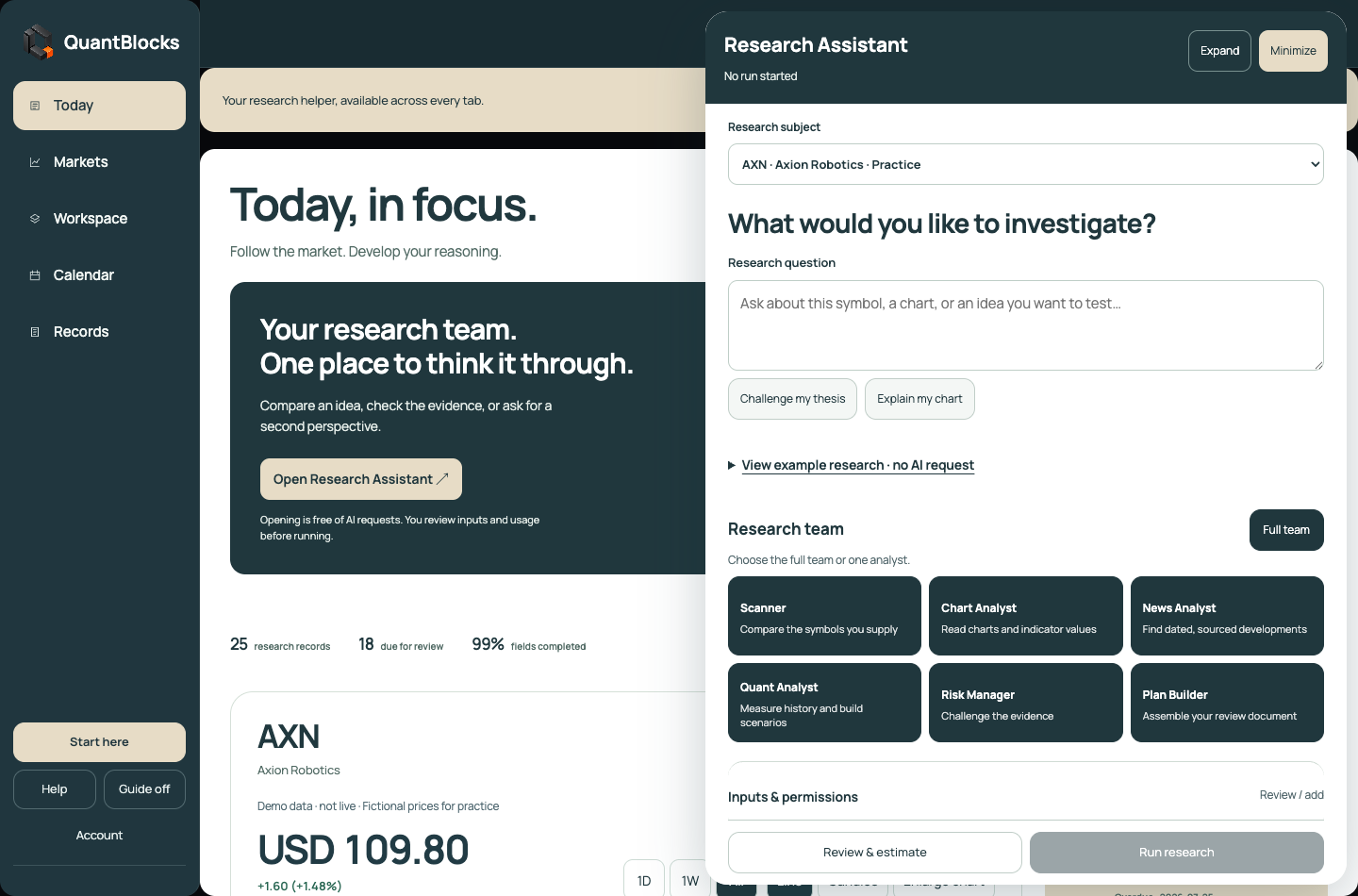
For independent investors and traders who want to understand their decisions.
Research thoughtfully. Keep the evidence. Learn from the record.
Research Assistant is available at the top of every product tab. Ask a question, choose the full team or one analyst, and inspect the reasoning.
Compare supplied symbols using price, volume and liquidity. Rank them for research, not as trade picks.
Explain a supplied chart: trend, key levels, conflicting signals and what would invalidate the read.
Organize dated developments and sources. Flag what could change the research idea.
Measure supplied history and describe scenarios. Say when there is not enough data.
Challenge the idea, identify missing evidence and decide whether more research is needed.
Bring the findings into a document marked READY FOR HUMAN REVIEW. No orders are placed.
Explore a hand-written AXN example in the actual report layout. Sources, missing evidence, risk and the final plan are visible. Live AI runs are not yet activated.
Move from market discovery to Market Rings, from a claim to its source, and from a thesis to its scheduled review. Keep the context with you.
Browse loaded companies and instruments, industries and markets, and themes. AI & AGI is presented as one cross-industry theme. Open a focus in Workspace when you are ready to study its system.
Directory and graph coverage are partial and clearly labeled. Use Demo prices, or connect your Twelve Data account. Availability and request limits depend on your provider plan. TradingView supplies the chart technology.
Explore Markets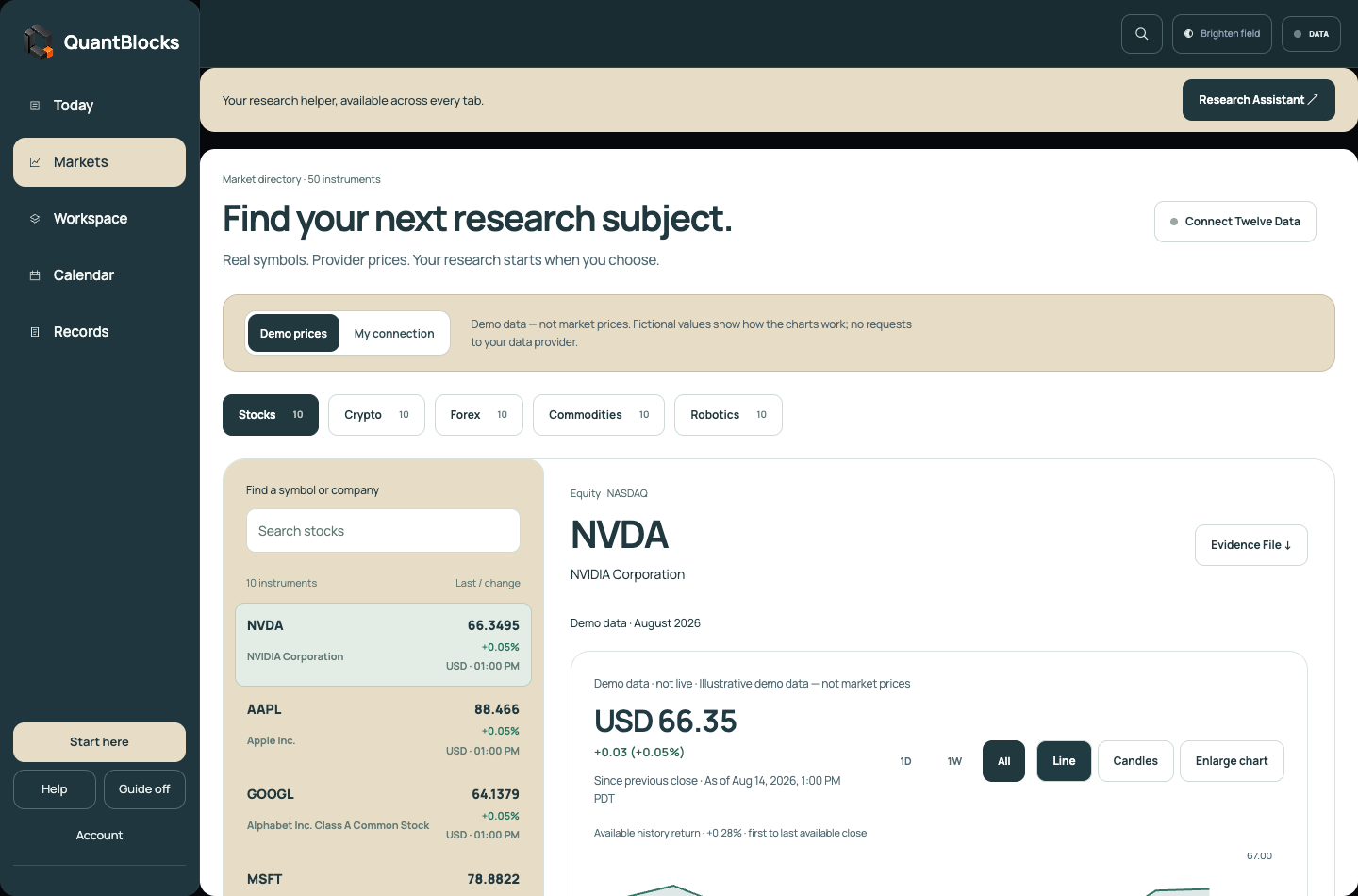
Use Workspace to switch between company, industry or market, and theme research. Market Rings organize the loaded participants, recorded paths and evidence around each focus.
Connections show what has been recorded. Placement does not prove influence, causation or investment quality. The demo contains selected examples rather than complete market coverage.
Explore Workspace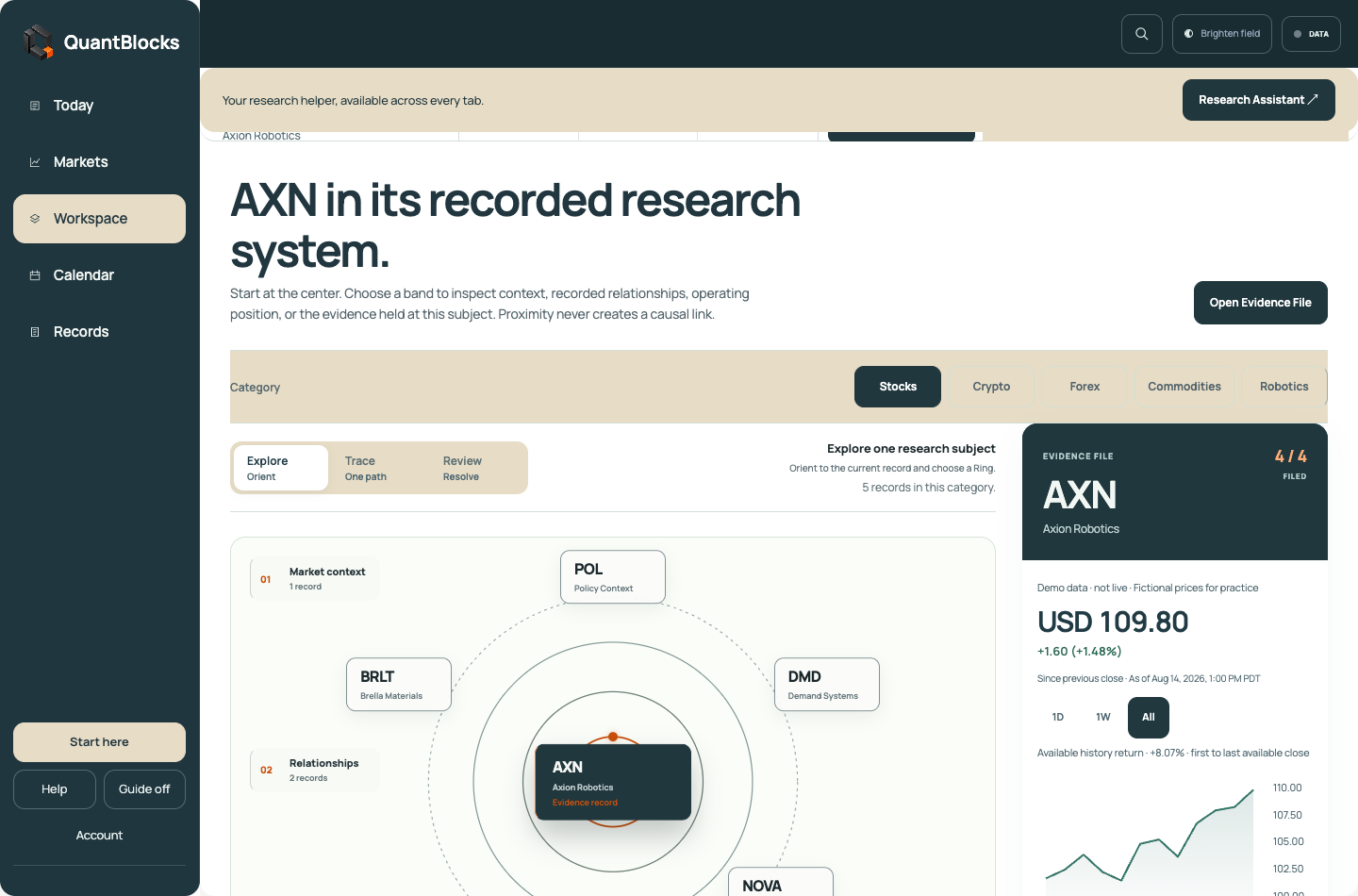
Inspect the supporting evidence, counterarguments, missing information and sources behind a prepared thesis, or write your own. Keep its next check and dated changes with the research.
Prepared theses are research starting points for human review. QuantBlocks does not turn them into buy or sell recommendations.
Inspect evidence in the demo
Import completed trades, open a date and inspect the recorded prices alongside notes, reflection and screenshots. Review monthly totals and keep research checks in the same calendar.
The demo includes practice trades. Imported trades stay separate. Profit or loss is estimated after fees, matching sells to the earliest buys first (FIFO), when purchase records are available. Currencies stay separate.
Explore the journal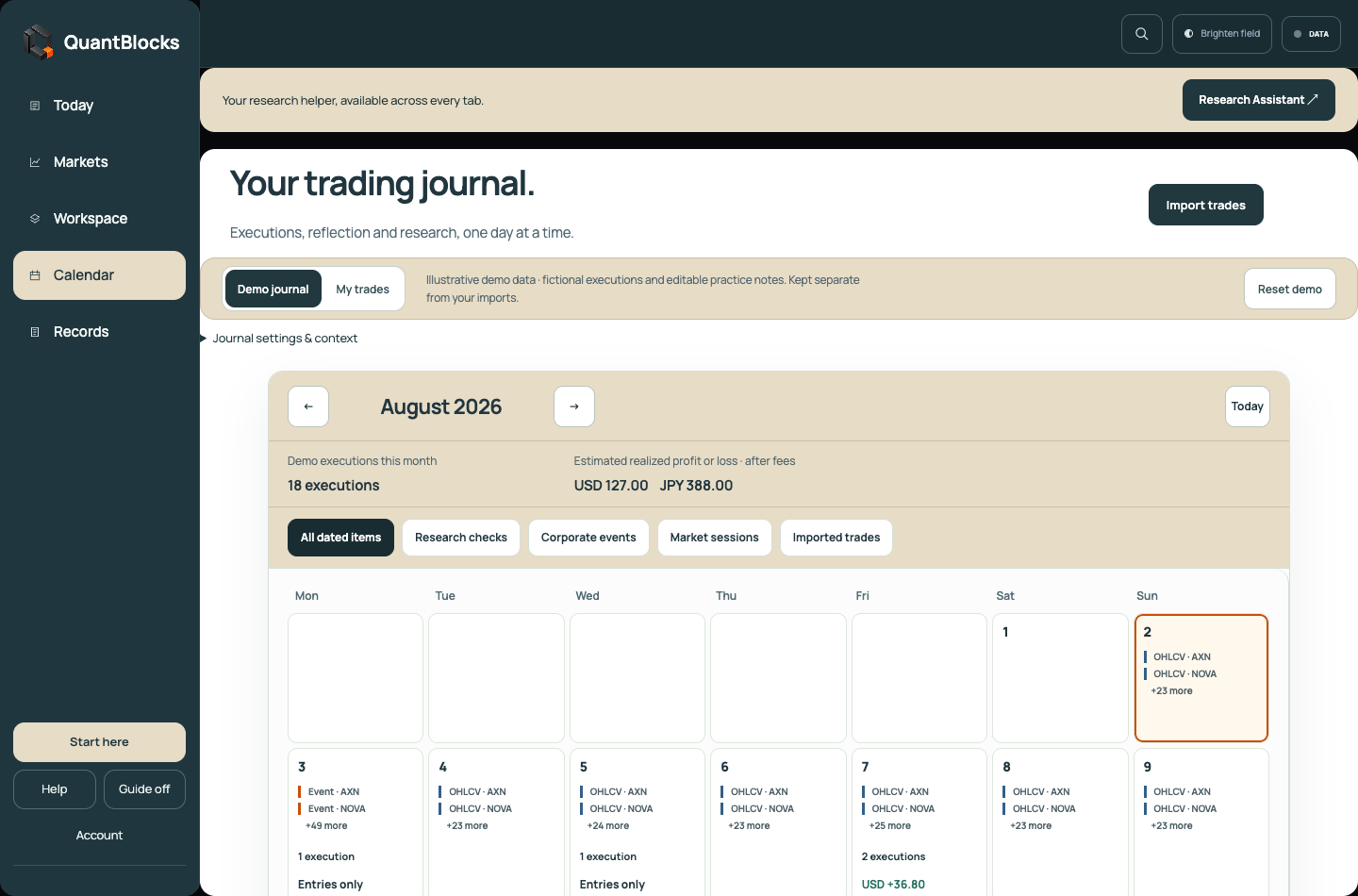
QuantBlocks keeps each step connected, from finding a market focus to revisiting the thesis when its evidence changes.
Start in Markets. Choose a company, industry or market, theme, or instrument from the loaded directory.
Open Workspace. Use Market Rings to inspect participants, recorded relationships and available paths.
Open the sources behind a connection or claim. Missing information and counterevidence stay visible.
Adopt a prepared thesis as a private starting point or write your own reasoning. Prepared examples remain subject to human review.
Set the next check, then use Today, Calendar and Records to return to the thesis and preserve what changed.
Walkthroughs move to the control you need, highlight it and explain what to do. Or explore freely and open Help when you need it.
Practice with demo data. Build your own records in My Data.
Research, journal notes and imported trades are stored in this browser. Demo records stay separate from your own data. Export available backups and journal data to keep copies outside the browser.
Connecting Twelve Data requests market data from your provider. QuantBlocks does not execute trades or connect to a brokerage to place orders.
Read the data boundaryExplore the working product before considering a membership. Paid checkout is not open yet.
Free
Discover loaded market subjects, explore company, industry and AI & AGI theme Rings, inspect prepared theses and evidence, and schedule practice reviews with contextual guidance.
Open the guided demo No account or payment required. Coverage and data are illustrative unless labeled otherwise.$9 / monthor $79 / year
Planned local membership for adding your own research in My Data, writing evidence notes, exporting files and restoring backups.
Once customer access is activated, you will sign in, complete secure Stripe checkout, and return here for payment verification.
After verification, a welcome screen will open your browser workspace. No download is required for that path. Checkout remains closed while this setup is tested.
Independent investors and traders who want to understand companies, industries, themes and instruments while keeping market context, evidence and trading reflections in one place. You make the decisions; QuantBlocks helps you keep the reasoning and record.
Demo prices and practice trades are practice data. Choose My connection and connect Twelve Data for provider prices and history, subject to your plan. Each chart shows its data status. TradingView is the chart technology, not the market-data API.
The interface and prepared example are available. Live AI analysis is not activated on this public site yet. The example is hand-written, uses a fictional company and makes no provider requests. Opening the assistant does not use AI credits.
No. You can import completed trades into the journal and reflect on them. QuantBlocks does not place orders or hold funds.
Your research and imported trades are stored locally in this browser. Clearing browser storage can remove them. Use the available export and backup controls to retain copies; the public demo does not provide cloud synchronization.
Not yet. The displayed Local membership pricing is planned. Paid checkout and customer delivery are not active. Ask about Local for availability.
Open the guided demo, use Start here for a walkthrough, or open Help. Guide mode highlights the relevant control and explains the next step. You can turn it off and explore freely.